RESTAURANT ADVERTISING
Create restaurant flyers. Put your food first.
A good lunch special needs a believable image and clear details. Turn your photos, price and idea into a flyer for your restaurant, café or takeaway.
How do you make a restaurant flyer with AI?
Start with your actual offer and a photo of the dish you serve. Add the price, availability, restaurant name and one next step, such as booking a table or viewing the menu. Dslop creates a complete design from this information, or redesigns a flyer you upload. Review the text and image before publishing.
For lunch specials, café promotions and takeaway offers, the useful difference is specificity: your food, your brand and your terms. AI is part of the design process; it does not make a dish more authentic or replace a photo of your actual product.
OUR DESIGN EXAMPLE
A kebab lunch special with supplied product photos
This example uses photos of the kebab and drink shown on the homepage. The finished poster gives the offer and price clear positions and adds a QR code as a separate technical element. It illustrates the design workflow; it is not a customer testimonial or a measured sales result.
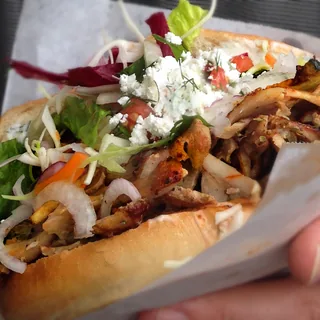
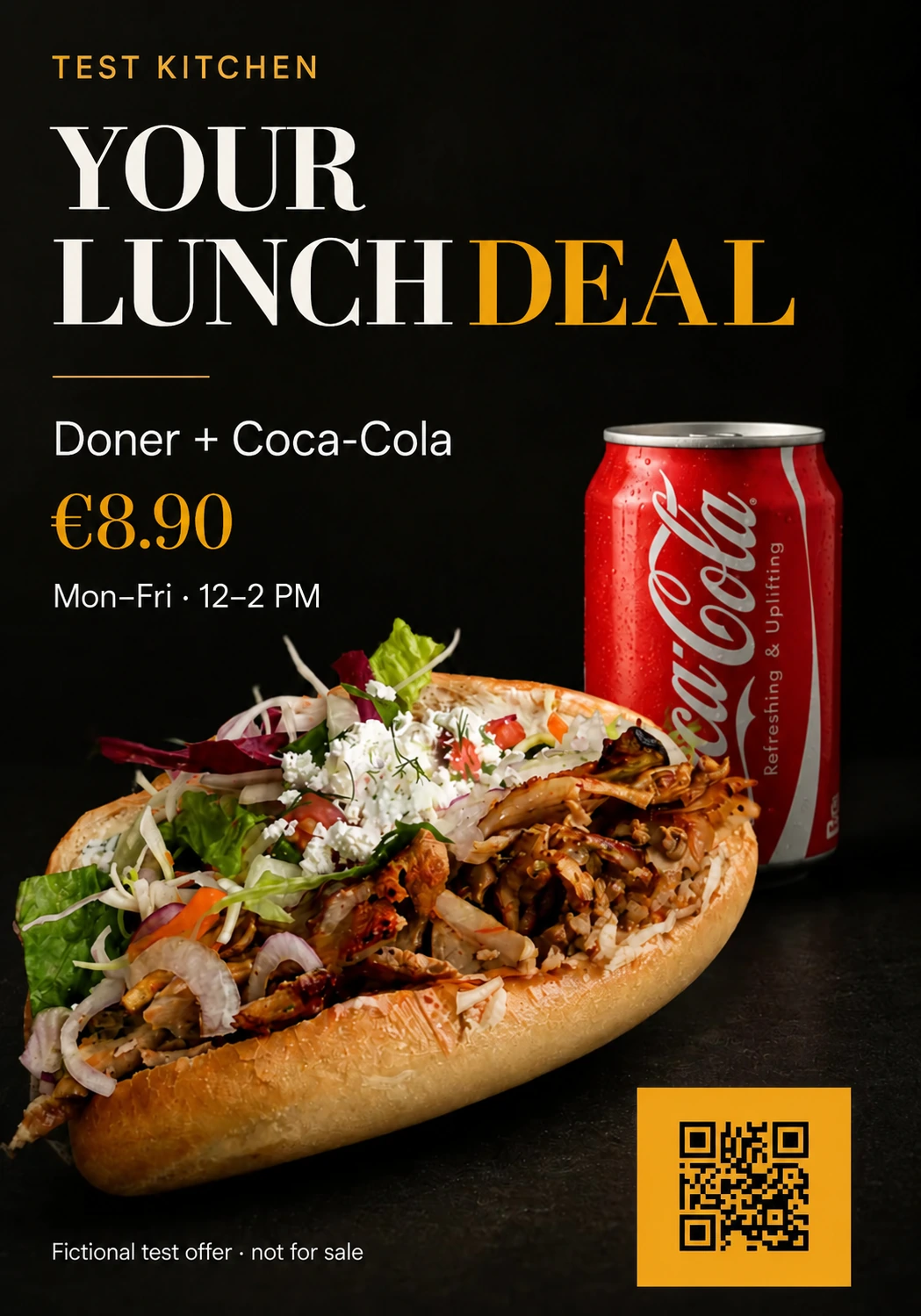
See the original flyer, both product photos and the result →
- Recognisable product: supply a clear, well-lit image of what you actually sell.
- Clear offer: give the meal and price more space than decoration.
- Useful next step: link to your current menu or booking page, and scan the finished QR code yourself.
Prepare these details before you start
- Dish and offer: list exactly what is included, including drinks or side dishes.
- Price and availability: enter your actual price, dates, times and conditions. Do not let AI invent missing details.
- Photos and brand: upload a sharp image, your logo and the colours your guests already recognise.
- Contact and destination: add the correct address and a menu, order or booking link.
- Placement: choose portrait for a window, square for a feed or story format for a vertical screen. Check small print in the final size.
A briefing you can adapt for your lunch special
Replace every bracketed field with your own information. Leave out anything that does not apply.
Create a clear flyer for [restaurant name]. Offer: [dish and included extras]. Price: [actual price]. Available: [days, times and date range]. Address: [address]. Use my uploaded food photo and logo. Give the offer and price priority. Next step: [book / order / view menu], destination: [your URL]. Conditions: [applicable conditions]. Do not add unconfirmed details.
Use this as your idea in the studio. If you already have an ad, upload and redesign the existing flyer. For a broader walkthrough, see creating a flyer from scratch.
Questions about restaurant advertising
What if guests say my ad looks too AI-generated?
Check what specifically bothers them: an unrealistic dish, incorrect words, too many effects or an offer that does not match reality. Replace invented food imagery with a photo of the actual dish, reduce decoration and check the facts. Dslop can help redesign the ad, but no design tool can guarantee how guests will react. Read how to improve an AI-looking poster.
Can I try Dslop for free?
You receive 50 starting credits after creating and verifying your account and claiming the trial in the studio. That covers five designs in standard quality (1K), once per account, without a credit card. See the current prices and options.
Is the file ready for professional printing?
Dslop exports a PNG in 1K or 2K. It does not supply a print PDF with bleed or a CMYK guarantee. Ask your printer which pixel dimensions, margins and file format are needed for your intended size.
Does it replace a designer or a menu system?
It is useful for individual promotional designs with confirmed information. For a full brand identity, a multi-page menu or editable text layers, use a design professional or a suitable layout tool.
YOUR NEXT OFFER