FLYERS, POSTERS & AD IMAGES
Create ads that do not look AI-generated.
Does your poster look too AI-generated? Use Dslop to design flyers, posters and static ad images with your own photos and brand. Upload a design or start with an idea.
WHEN ADS LOOK AI-GENERATED
What makes an ad look generically AI-made?
A restaurant promotes its lunch special, but the food looks like a stock image, the price gets lost among visual effects and the text is hard to read on a phone. Invented details and misspelled words also undermine trust. Another broad prompt will not solve this. Start with accurate information and useful images, then rebuild the design.
- One focal point: Show the real dish, product or offer instead of generic AI decoration.
- Clear order: Make the offer, price, dates and next step easy to spot.
- Your brand: Use colours, a logo and a tone that fit your business.
- Check the facts: Verify prices, opening hours, terms, names and QR destinations before publishing.
TAKEAWAY EXAMPLE
From AI flyer to readable lunch special
In this kebab example, the offer stays the same. Photos of the actual meal and drink make the poster specific to the product. A clear price, fewer effects and a real QR code make it easier to understand. This is a design example, not a claim about measured sales or search rankings.
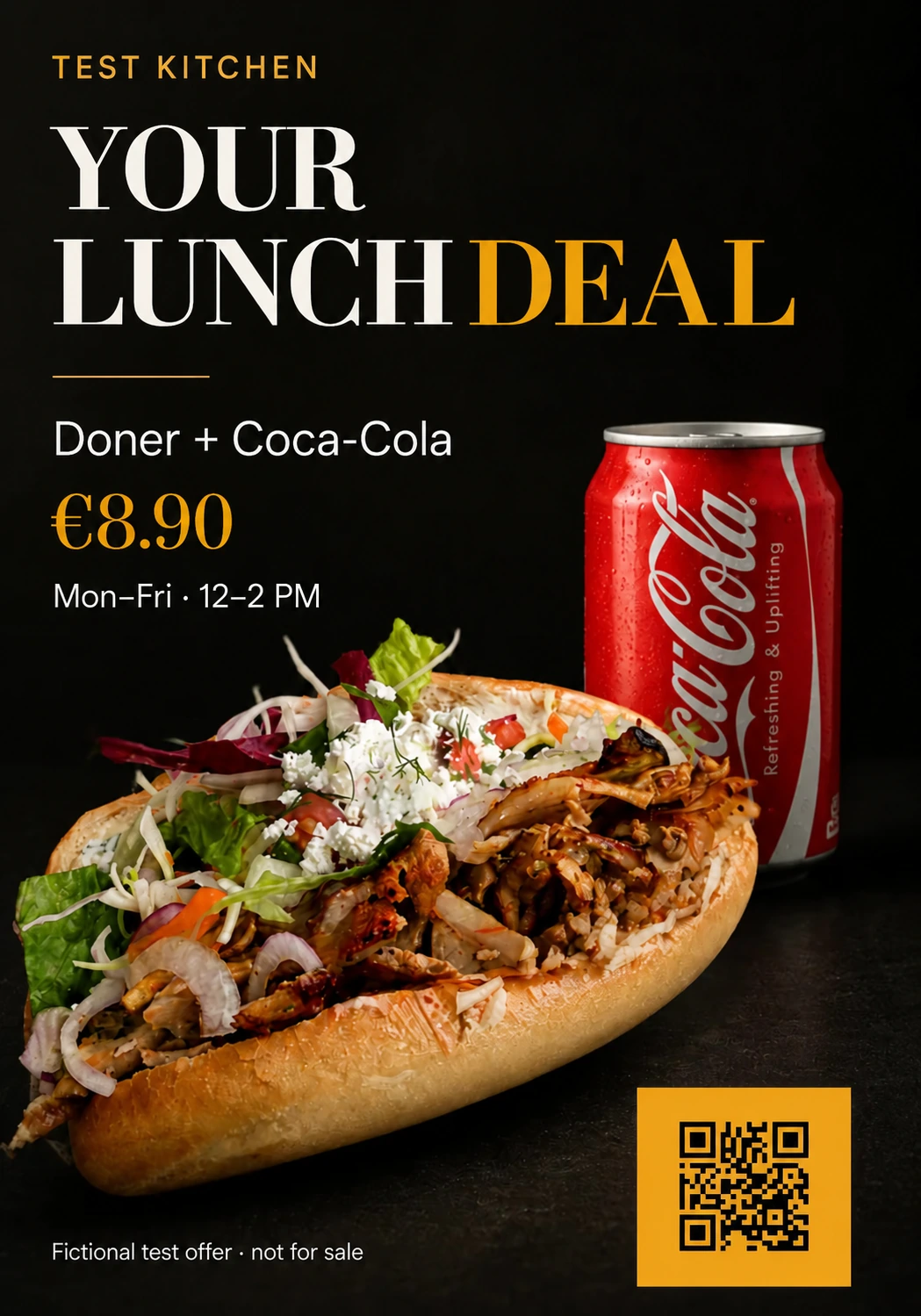
Example: kebab lunch special
HOW TO START
Four steps to your own ad design
- Upload a design or start with an idea. Rework an existing AI flyer or describe your offer for a new design.
- Confirm your details. Review extracted or entered text: the offer, price, dates, address and contact details. Add missing terms.
- Choose real images and brand assets. Your own food photo is especially useful for restaurant ads. Pick a design direction.
- Review before publishing. Read every line, test the QR code and check legibility on a phone and at print size.
For lunch specials and food promotions, see our restaurant flyer guide with your own photos and an adaptable briefing template.
Dslop itself uses AI for design. “Without the AI look” describes the intended visual quality; it does not mean no AI tool was involved. Any applicable disclosure and advertising duties still apply.
Common questions
How do I create ads that do not look AI-generated?
Start with your real offer, product photos and brand colours. Reduce effects, prioritise the headline and price, and review every word in the final design. Dslop can redesign an existing AI ad or start from approved content.
What kinds of ads can I design?
Dslop creates static images: flyers, posters and ad images for social media, windows or displays. A typical use is a restaurant special featuring your own food photo, a price and ordering details. Choose a format for the placement and check readability at its intended size.
Do I need an existing AI poster?
No. You can also create a flyer from your own details. Use the redesign route if you already have a design.
Can I publish the result without checking it?
No. Check facts, image rights, QR destinations and readability first. Manual review matters especially for prices and promotion dates.
NEXT STEP